
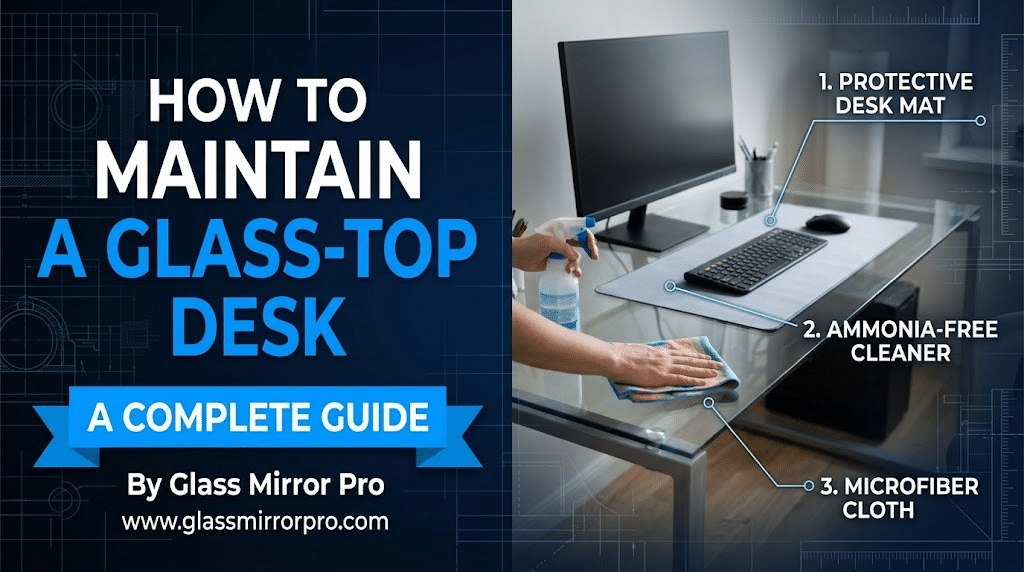
How to Maintain a Glass-Top Computer Table: Cleaning and Protection Guide
Published by Glass Mirror Pro | Expert Glass & Mirror Solutions
A glass-top computer table brings an undeniably sleek, modern, and open aesthetic to any home office or gaming setup. By reflecting ambient light, glass desks make small rooms feel larger and less cluttered. However, this beautiful minimalist design comes with a trade-off: glass requires specific maintenance to stay looking pristine. From unavoidable fingerprints and dust to the constant threat of scratches from heavy metal monitor stands, your glass desk needs a solid protection strategy. In this guide, we break down the daily maintenance, safe cleaning techniques, and structural precautions required to keep your glass-top desk flawless.

1. The Streak-Free Cleaning Routine
Your computer desk is a high-touch surface, meaning it collects skin oils, coffee spills, and dust daily. To clean it without leaving frustrating streaks, you must ditch the standard paper towels, which leave behind microscopic lint and can actually cause micro-scratches over time. According to the National Glass Association (NGA), the safest and most effective cleaner for indoor glass furniture is a simple 50/50 mixture of distilled water and white vinegar. Spray this solution lightly and wipe it away using a flat-weave microfiber cloth. Avoid harsh ammonia-based cleaners, as they can slowly degrade any protective films or tints on the glass.
2. Scratch Prevention: Desk Mats and Bumpers
Tempered glass is incredibly strong against blunt force, but it is highly susceptible to surface scratching from sharp, hard objects. Sliding a metal keyboard, a ceramic coffee mug, or a hard plastic mouse across the bare glass daily will eventually leave an opaque, hazy web of scratches. The easiest defense is an oversized PU leather or felt desk mat that sits under your primary work zone. For heavy items like metal monitor stands, speakers, or desk lamps, purchase a sheet of small, self-adhesive silicone or felt bumper pads and attach them directly to the bottom of the equipment’s feet.
3. Monitor Mounts and Weight Distribution
One of the biggest mistakes home office workers make is clamping a heavy dual-monitor arm directly onto the edge of a thin glass desk. The C-clamp creates an intense, highly concentrated pressure point. Over time, or with a slight bump, this point-stress can cause the tempered glass to violently shatter. If you must use a C-clamp monitor mount on a glass desk, you need to distribute the weight. Purchase a steel or solid wood monitor mount reinforcement plate. By placing these plates on the top and bottom of the glass before tightening the clamp, you spread the heavy pressure over a much wider, safer surface area.
4. Hiding the Wires (The Glass Desk Dilemma)
The beauty of a glass desk is its transparency, but that is also its greatest curse when it comes to cable management. Every single wire running from your monitor to your PC is highly visible. To maintain a clean look without scratching the back edge of the glass with pulling cables, use an under-desk cable management tray attached to the metal framing (never drill into the glass!). Route all cables into a single, sleek braided cable sleeve, and drop it straight down one of the desk’s metal legs, securing it with black zip ties. This keeps the glass top pristine and the space underneath looking organized.
Need a Heavy-Duty Glass Desktop Replacement?
If your current glass desk is deeply scratched, chipped, or too thin to safely support your new gaming monitors, you don’t have to throw away the entire desk frame! Upgrade the surface with premium, heavy-duty glass. The experts at Glass Mirror Pro precision-cut ultra-strong, 3/8-inch or 1/2-inch tempered custom glass table tops, finished with beautifully polished safety edges, perfectly tailored to upgrade your home office.




Leave a comment